blog post
Don't Let Google Maps' AI-Powered Ask Button Give Wrong Information About Your Law Firm

Read Time

July 7, 2026
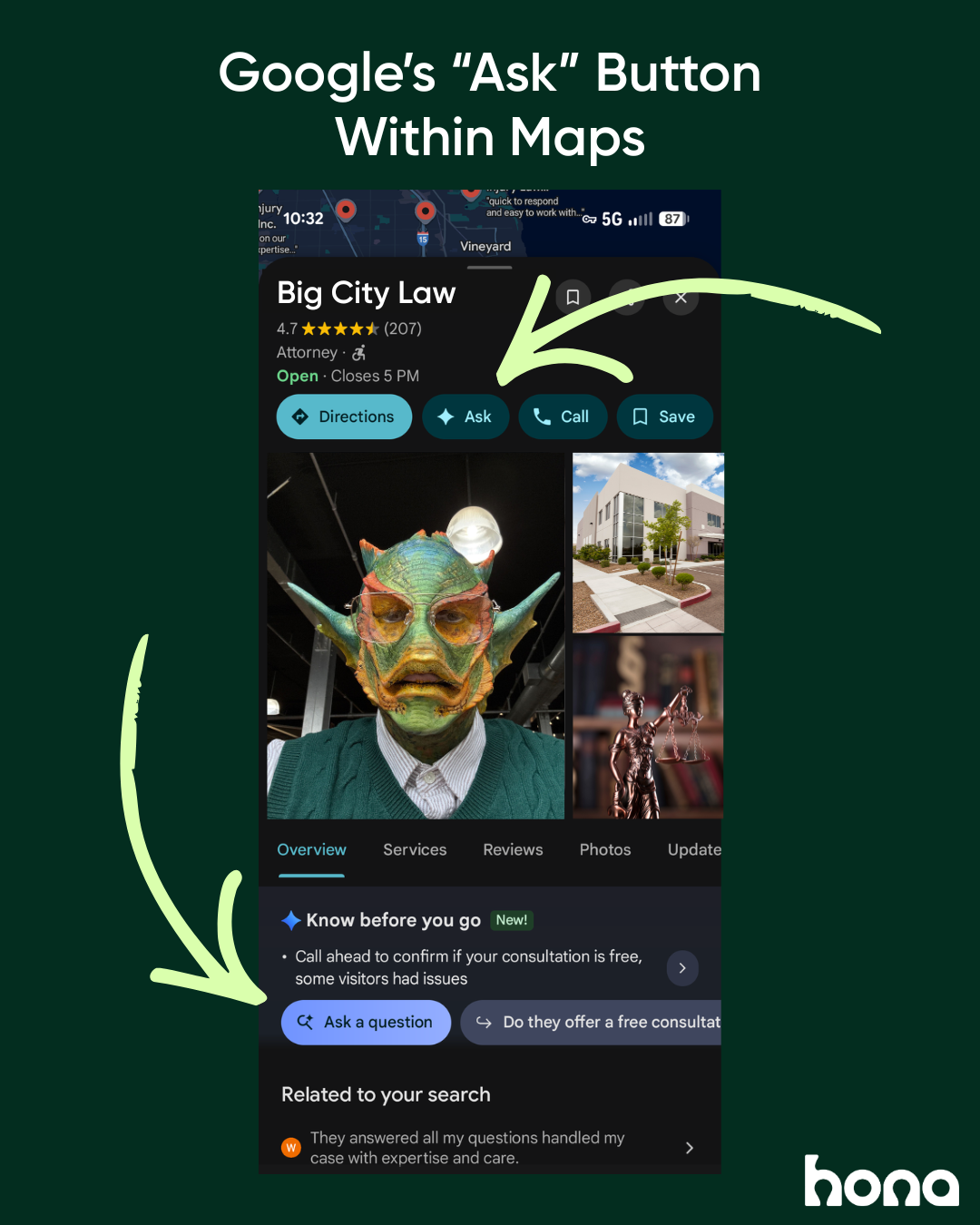
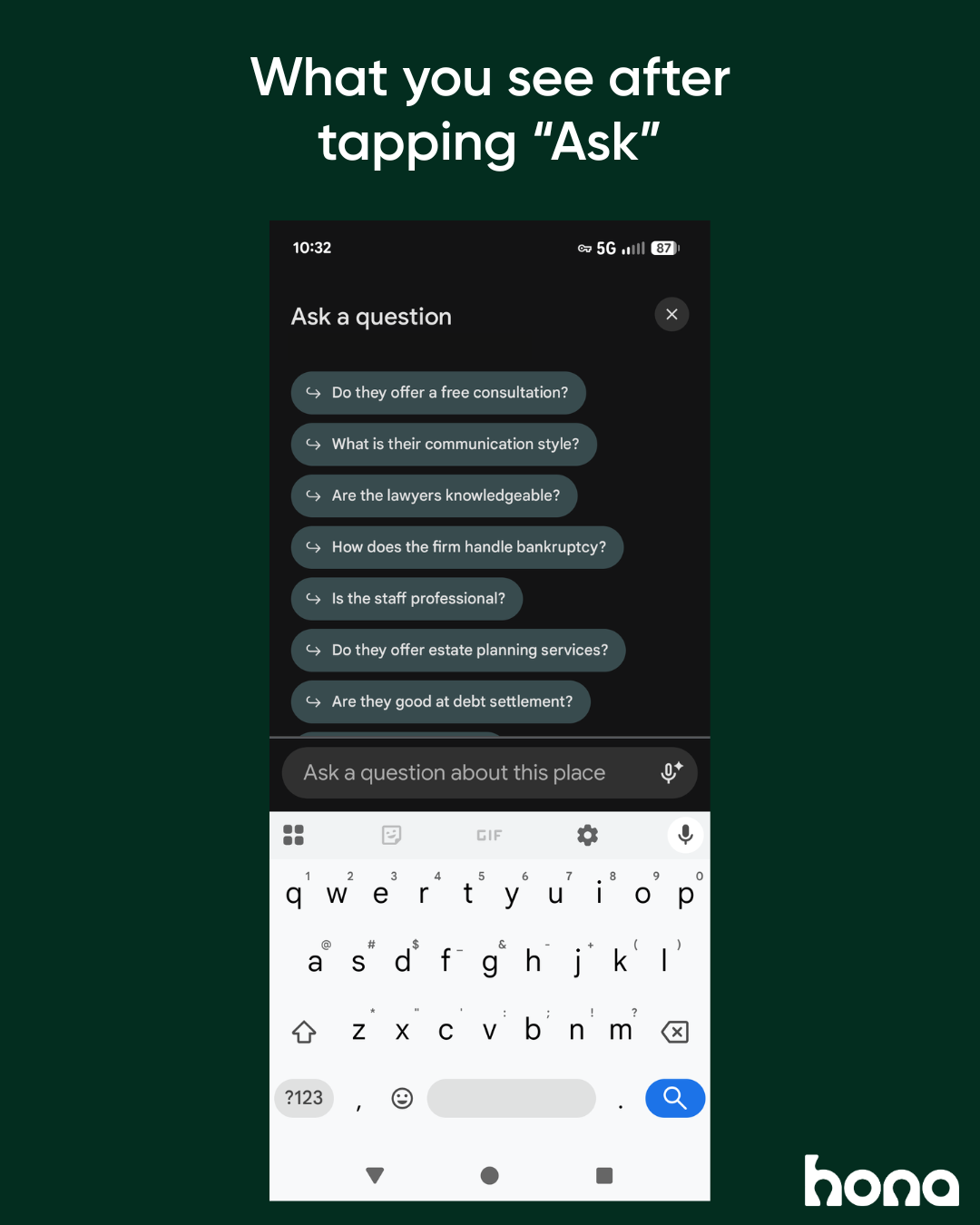
While Google still shows the Q&A functionality on the backend in your Google Business Profile, it no longer appears for people looking your profile or searching for businesses like yours. Google now shows the new “Ask” button in Maps and on Business Profiles.
According to Google’s product team, “Customers can ask their question directly in Google Maps and get an updated, instant answer based on your answers and relevant reviews.” This Gemini-powered feature has been prioritized in December 2025 and it became more prominent during the summer of 2025.
What information is used by “Ask Maps” to answer questions?
Google pulls information from:
- your reviews
- your existing Q&A section
- all of the other information in your business profile
- content from your law firm’s website
You can still answer questions about your law firm in your Business Profile. Just know this section is no longer visible to searchers.
According to Google: “Business Profile users can continue to answer existing questions about their business in the Q&A section in their Google Business Profile. Your published questions and answers will continue to power Google’s understanding of the real world and may be shown in Maps.”
What should our law firm change to provide the right answers?
Check and update these areas in your Business Profile and on your website to give Google’s AI all of the right information.
Google Business Profile
Make sure this information in your profile is up-to-date:
- Law firm name
- Business hours
- Contact information
- Practice areas and services
Inaccurate information in your profile will mean that Gemini and “Ask Maps” can’t answer correctly.
Your website
All of the information on your Business Profile must be the same on your website. Don’t provide Google with conflicting information. In particular, make sure the business name listed on Google is the same one found on your website.
Review your website’s accuracy and clearly label and update pages like:
- Practice areas and services you provide
- Attorneys and staff
- Legal process FAQs
- Testimonials and reviews
Remember: AI is only providing the most likely answer to a question, not fact-checking, so you need to give it all the context. Your website is the best place to provide in-depth context about your law firm.
Other review & informational sites
If you maintain a profile on any other review sites, like Yelp, or any directories of law firms, double check that all of your business information is accurate and updated.
Make sure that practice areas, business hours, contact information, staff information, etc. show up the same in every place someone might be searching.
What else should we prioritize to give accurate answers in Google?
Requesting more reviews! Google pulls information directly from reviews to populate answers in Maps. Legal marketing experts in particular note that Google seems to prioritize the user-generated answers that reviews already provide.
Here’s an example of the impact your reviews have on the answers given by Google’s AI via “Ask Maps.”
Rebecca was in a car accident. A few years ago she had to hire a personal injury lawyer for a slip-and-fall incident. But she remembers that the lawyer she hired then rarely contacted her. She felt isolated and confused, even though the case turned out in her favor. The communication was so bad she never referred that lawyer to anyone and mentioned it in her review.
In searching Google for other personal injury attorneys in her area, Rebecca comes across your firm. She wants to know upfront if your firm has a history of poor communication with clients. She uses the AI-powered “Ask” button to ask about your communication style.
If your firm has hundreds of positive reviews and many former clients mention how great your firm is at staying connected, Google is going to use that information to provide Rebecca’s answer.
So if you don’t have a solid process for requesting reviews, now’s the time to start.
Automatically request reviews
Within its client portal and communication tools, Hona provides automated review requests. Set up these requests to send automatically via text message and the client portal at specific points in your case workflow.
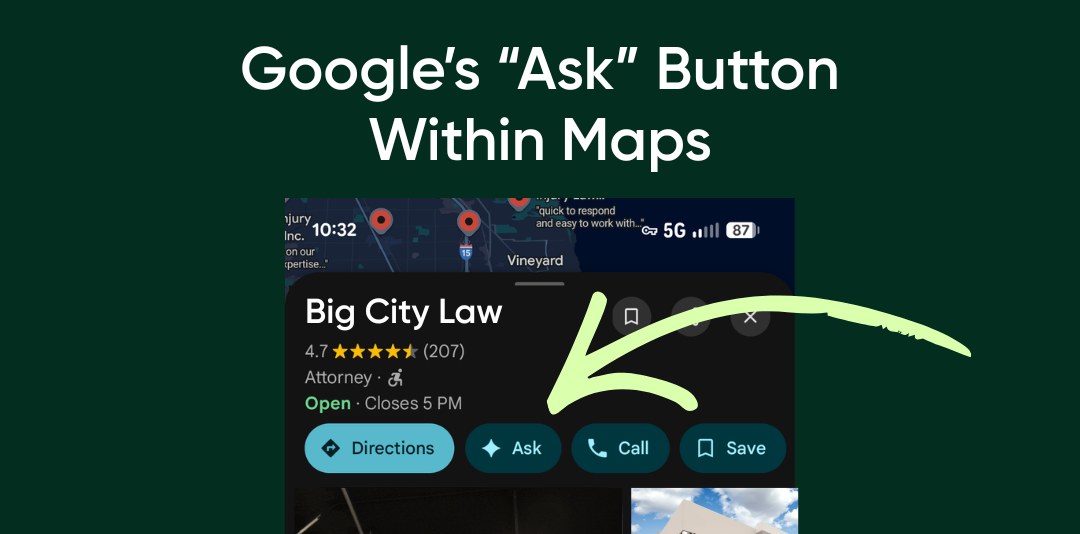
While Google still shows the Q&A functionality on the backend in your Google Business Profile, it no longer appears for people looking your profile or searching for businesses like yours. Google now shows the new “Ask” button in Maps and on Business Profiles.
According to Google’s product team, “Customers can ask their question directly in Google Maps and get an updated, instant answer based on your answers and relevant reviews.” This Gemini-powered feature has been prioritized in December 2025 and it became more prominent during the summer of 2025.
What information is used by “Ask Maps” to answer questions?
Google pulls information from:
- your reviews
- your existing Q&A section
- all of the other information in your business profile
- content from your law firm’s website
You can still answer questions about your law firm in your Business Profile. Just know this section is no longer visible to searchers.
According to Google: “Business Profile users can continue to answer existing questions about their business in the Q&A section in their Google Business Profile. Your published questions and answers will continue to power Google’s understanding of the real world and may be shown in Maps.”
What should our law firm change to provide the right answers?
Check and update these areas in your Business Profile and on your website to give Google’s AI all of the right information.
Google Business Profile
Make sure this information in your profile is up-to-date:
- Law firm name
- Business hours
- Contact information
- Practice areas and services
Inaccurate information in your profile will mean that Gemini and “Ask Maps” can’t answer correctly.
Your website
All of the information on your Business Profile must be the same on your website. Don’t provide Google with conflicting information. In particular, make sure the business name listed on Google is the same one found on your website.
Review your website’s accuracy and clearly label and update pages like:
- Practice areas and services you provide
- Attorneys and staff
- Legal process FAQs
- Testimonials and reviews
Remember: AI is only providing the most likely answer to a question, not fact-checking, so you need to give it all the context. Your website is the best place to provide in-depth context about your law firm.
Other review & informational sites
If you maintain a profile on any other review sites, like Yelp, or any directories of law firms, double check that all of your business information is accurate and updated.
Make sure that practice areas, business hours, contact information, staff information, etc. show up the same in every place someone might be searching.
What else should we prioritize to give accurate answers in Google?
Requesting more reviews! Google pulls information directly from reviews to populate answers in Maps. Legal marketing experts in particular note that Google seems to prioritize the user-generated answers that reviews already provide.
Here’s an example of the impact your reviews have on the answers given by Google’s AI via “Ask Maps.”
Rebecca was in a car accident. A few years ago she had to hire a personal injury lawyer for a slip-and-fall incident. But she remembers that the lawyer she hired then rarely contacted her. She felt isolated and confused, even though the case turned out in her favor. The communication was so bad she never referred that lawyer to anyone and mentioned it in her review.
In searching Google for other personal injury attorneys in her area, Rebecca comes across your firm. She wants to know upfront if your firm has a history of poor communication with clients. She uses the AI-powered “Ask” button to ask about your communication style.
If your firm has hundreds of positive reviews and many former clients mention how great your firm is at staying connected, Google is going to use that information to provide Rebecca’s answer.
So if you don’t have a solid process for requesting reviews, now’s the time to start.
Automatically request reviews
Within its client portal and communication tools, Hona provides automated review requests. Set up these requests to send automatically via text message and the client portal at specific points in your case workflow.