Every missed appointment, unreported symptom, and untracked provider visit is money off the settlement. Here's what the data says.
Reduction in case payouts when there's a gap in treatment.
Here's what happens from the moment you flip the switch.
When a client reaches the treatment phase, enroll them from your dashboard without leaving your case management system. Nosetup call, no intake form for your team to fill out.

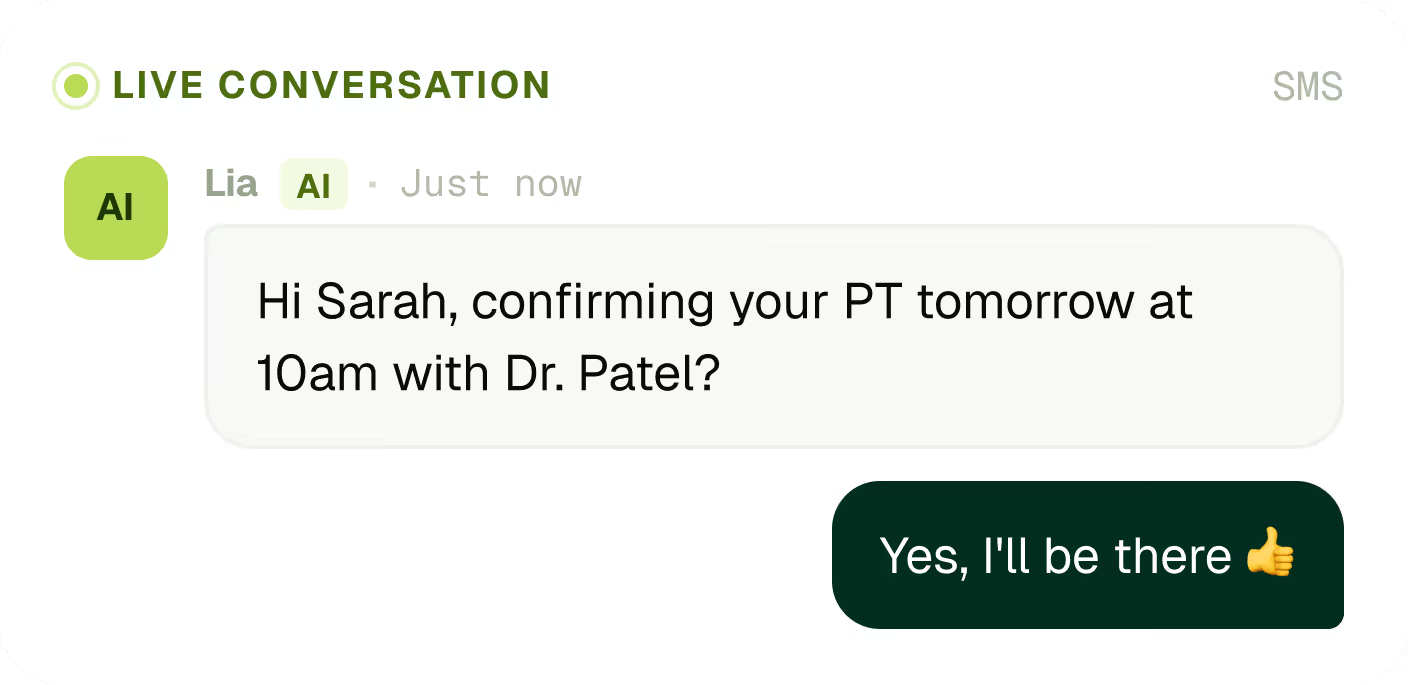
Within minutes of enrollment, the AI reaches out by text to start mapping the client's treatment. Next appointment, time, location, provider.
.png)
The AI sends appointment reminders, follows up after each visit, and asks the questions that matter: Did you make it? How did itgo? Any new symptoms?
.avif)
Missed PT twice in a row. New symptom reported. Provider unreachable. No response for 48 hours. The issues that quietly erode case value get flagged before they compound.
.avif)
When an escalation fires, a case manager takes over. Call directly from the dashboard — the call transcript feeds back into the AI sothe next conversation picks up where yours left off.
.avif)
Some clients reply in thirty seconds. Others take a few days. The AI adapts.
Every check-in, reminder, and follow-up handled by text — no manual sending, no dropped balls.
The system learns and adjusts automatically.
Outreach only happens when it's welcome.
.avif)
Your case file writes itself.
Every appointment captured and timestamped.
Complete provider list builds itself as the AI goes.
Flagged immediately, with the reason captured.
All searchable, all attached to the case.
.avif)
You define the rules. The AI enforces them.
Set the rules once. The system catches issues while there's still time to act.
High-priority issues re-ping case managers every hour until resolved.
What happened, when, what the AI tried, what the client said.
.avif)
The AI handles the manual work. Your team handles the judgmentcalls.
Every AI conversation is visible to your team.
Nothing goes in without a human sign-off.
Recorded, transcribed, fed back to the AI.
Each case manager sees their own book.
.avif)
Here's what happens from the moment you flip the switch.
No rip-and-replace. AI Care Coordinator lives alongside your case management system and pulls data both ways.


Client data is handled the way it should be. Full documentation available on request.
PHI handled per BAA, end-to-end encryption.
Consent tracked per outreach, opt-out honored.
Type II audited annually. Report on request.
The AI Care Coordinator can reach clients by text or call, and your firm controls how it's configured. Many firms opt for text-based outreach because clients tend to respond faster and find it less intrusive. Your configuration settings determine how the AI makes first contact and how it follows up from there.
The AI Care Coordinator handles the repetitive middle of a personal injury case: appointment reminders, post-visit check-ins, treatment gap follow-ups, and provider tracking. It manages routine treatment-phase communication on its own. Humans step in when something needs judgment. If a client mentions they want to stop treatment, flags a new provider, or asks a legal question, the AI escalates that immediately to the assigned case manager.
Clients can be enrolled manually through the Chrome extension. Depending on your setup, enrollment can also be connected to case status changes in your case management system. Most firms start with manual enrollment to get comfortable with the product first. Your onboarding team can help you figure out the right workflow for how your firm operates.
The AI Care Coordinator works with the PI case management workflows Hona already supports. It connects through existing Hona integrations and a Chrome extension that gives the AI access to the case context it needs. Talk to your rep about your specific CMS to confirm what's supported and how the connection works for your setup.
Yes, and that's by design. The AI introduces itself as an AI care coordinator from your firm in the very first message. Full transparency is a requirement. One best practice we see from firms: have the case manager send a quick intro text or call the client before the AI begins outreach. It sets expectations and makes the first AI message feel like a natural handoff instead of a surprise.
A lot is configurable. You can adjust the intro message, reminder guidance, post-treatment prompts, check-in frequency, the coordinator's name, escalation rules, and contact preferences. It's done through plain-language instructions, similar to how you'd describe a task to a person. Most firms tune the defaults once they see how their clients respond. Those defaults are a starting point, not a mandate.
Enrollment is completely optional per client. Most firms start by focusing on their active-treatment, soft-tissue cases and excluding cases where the client is unlikely to respond well to text outreach, such as elderly clients or catastrophic injury cases. You stay in control of who gets enrolled.
Client preferences are always respected. If a client asks to speak to a person, the AI escalates to the assigned case manager. You can also manually pause or unenroll a client at any time. Some firms include an explicit option in the intro message so clients know from the start that they can request a human whenever they want.
The AI Care Coordinator tracks provider activity as part of its case monitoring. It asks clients about their treatment providers and flags unexpected or unfamiliar situations for case manager review. Talk to your rep about how provider management is configured for your firm and what level of detail gets surfaced in escalations.
Yes, that guardrail is built in. The AI Care Coordinator is configured to never provide legal advice or legal opinions. Any question that touches legal strategy gets escalated directly to the assigned case manager. It stays in its lane.
Yes. The AI Care Coordinator supports Spanish-language conversations. If a client texts in Spanish, the AI responds in Spanish. Talk to your onboarding team about how to set this up correctly for your firm's specific caseload.
It can, if you don't account for it. If you have existing Hona automations tied to the treatment phase, it's worth mapping those out before you go live with the AI Care Coordinator. Your onboarding team will help you configure things so clients aren't getting overlapping outreach from multiple sources.
Yes. The AI Care Coordinator supports Spanish-language conversations. If a client texts in Spanish, the AI responds in Spanish. Talk to your onboarding team about how to set this up correctly for your firm's specific caseload.